What is LedgerLumen?
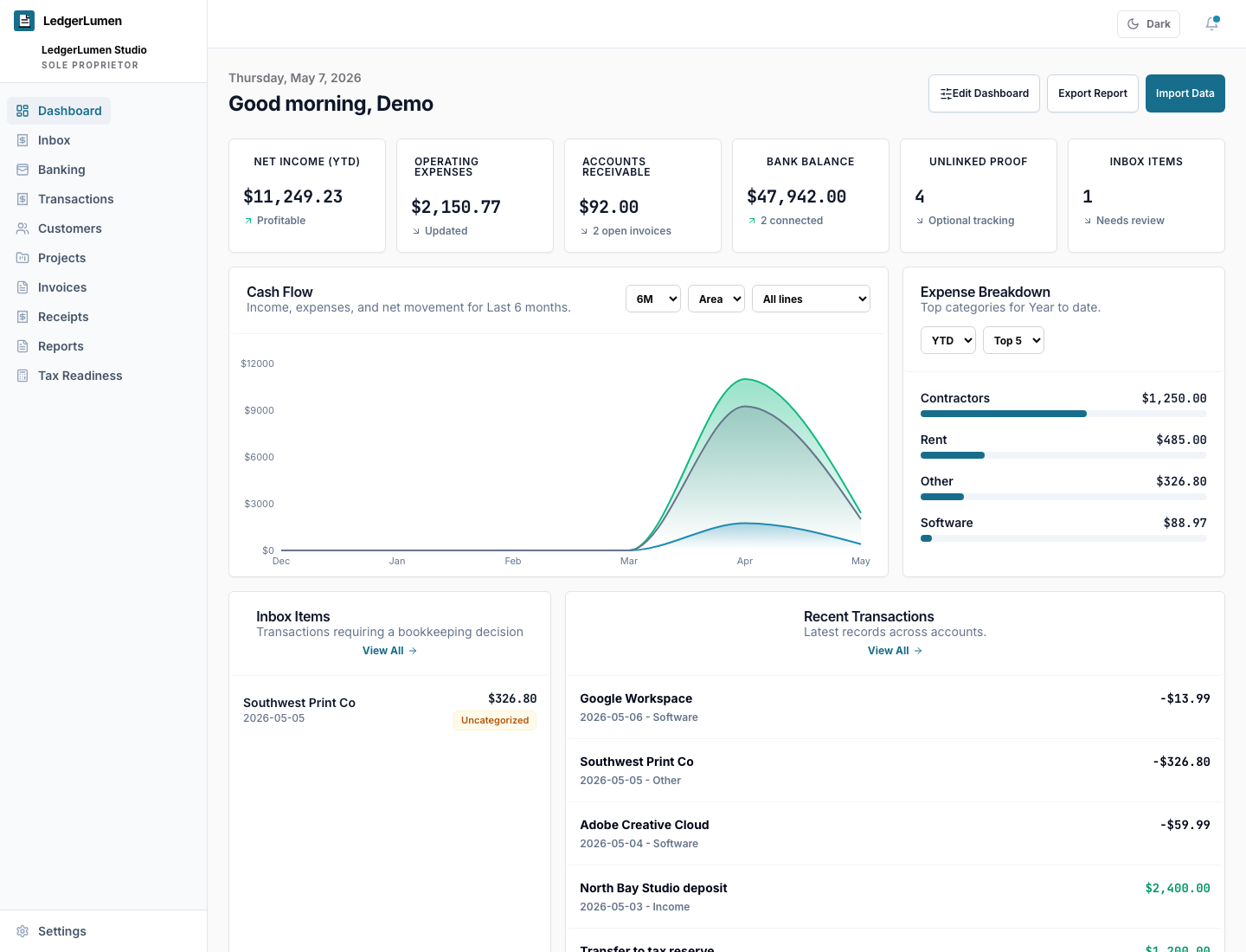
LedgerLumen is bookkeeping software for small service businesses that helps owners review transactions, track invoices, organize receipts, understand profit, and prepare cleaner records for tax time.
LedgerLumen FAQ
LedgerLumen is built for owners who need cleaner bookkeeping records before the questions pile up.
LedgerLumen is for small service businesses that need plain-English bookkeeping review, receipt tracking, invoice status, reports, tax-readiness context, and advisor-ready exports.
At a glance
LedgerLumen is bookkeeping software for small service businesses that helps owners review transactions, track invoices, organize receipts, understand profit, and prepare cleaner records for tax time.
LedgerLumen fits consultants, agencies, freelancers, studios, contractors, coaches, creators, and local service operators that send invoices, collect client payments, buy supplies or software, and need cleaner records without heavy accountant-first software.
No. LedgerLumen is designed for owners who want plain-English bookkeeping review instead of accounting jargon. The goal is to show what needs attention and what records are ready.
LedgerLumen organizes transactions, customers, projects, invoices, receipt records, proof files, reports, tax payments, workspace setup details, and advisor-ready exports.
Yes. LedgerLumen supports CSV imports so owners can bring in records from spreadsheets, banks, or older bookkeeping tools. Imported records can be reviewed, categorized, and included in reports.
Yes. LedgerLumen helps create invoice records, track status, see open balances, identify overdue invoices, and record payments when money comes in.
LedgerLumen lets owners save receipt records, mark receipt status, upload proof files, and link receipts to expense transactions so missing documentation is visible before tax time.
Yes. Owners can start with manual records, CSV imports, receipts, invoices, or projects. Bank connection is optional.
No. LedgerLumen does not store bank passwords. Supported providers such as Plaid or Stripe Financial Connections handle the bank sign-in flow when configured.
No. LedgerLumen helps organize bookkeeping records, reports, receipts, invoices, and tax-readiness context so owners can work more clearly with a CPA, tax preparer, or bookkeeper. It does not file taxes or provide tax advice.
Yes. LedgerLumen helps organize transactions, receipt proof, invoice status, tax payment records, and advisor-ready exports. Its tax-readiness features are planning aids and do not replace professional advice.
Spreadsheets are flexible at first, but they become fragile when invoices, receipt proof, transaction categories, tax payments, and advisor handoff all live in different places. LedgerLumen gives those repeated review tasks a dedicated workflow.
LedgerLumen is focused on plain-English owner review for service businesses: what needs a category, what receipt proof is missing, what invoices are open, what profit looks like, and what records need to be ready for tax time.
Yes. LedgerLumen includes workspace exports and advisor-ready downloads so owners can keep control of their records and share cleaner context when needed.
LedgerLumen is designed around workspace access and roles such as owner, admin, bookkeeper, CPA or tax preparer, and staff, so sensitive records can be shared more intentionally.
MVP access is focused on the owner review workflow: workspace setup, transaction review, CSV and manual records, optional bank connection, receipt records, invoice records, reports, tax-readiness context, and workspace exports.
LedgerLumen is not payroll software, tax filing software, a payment processor, inventory or ERP software, or a replacement for a bookkeeper, CPA, enrolled agent, attorney, or tax preparer. Paid plan limits and advanced billing gates come later.
No card is required for current MVP access. LedgerLumen will show plan details, limits, and payment setup before any billing begins.
MVP support is founder-led and focused on setup questions, product feedback, security questions, and workflow fit. It is not 24/7 emergency support, professional bookkeeping service, or tax advice.
Trust and fit
Related pages