CSV import
Bring in a bank CSV or spreadsheet export and review detected columns, skipped rows, and records ready for cleanup.
Service business walkthrough
A practical walkthrough for consultants, agencies, contractors, and local service operators.
LedgerLumen helps service-business owners bring in records, review what needs cleanup, connect receipts and invoices, and prepare clearer advisor handoff files without starting from an accountant-first workflow.
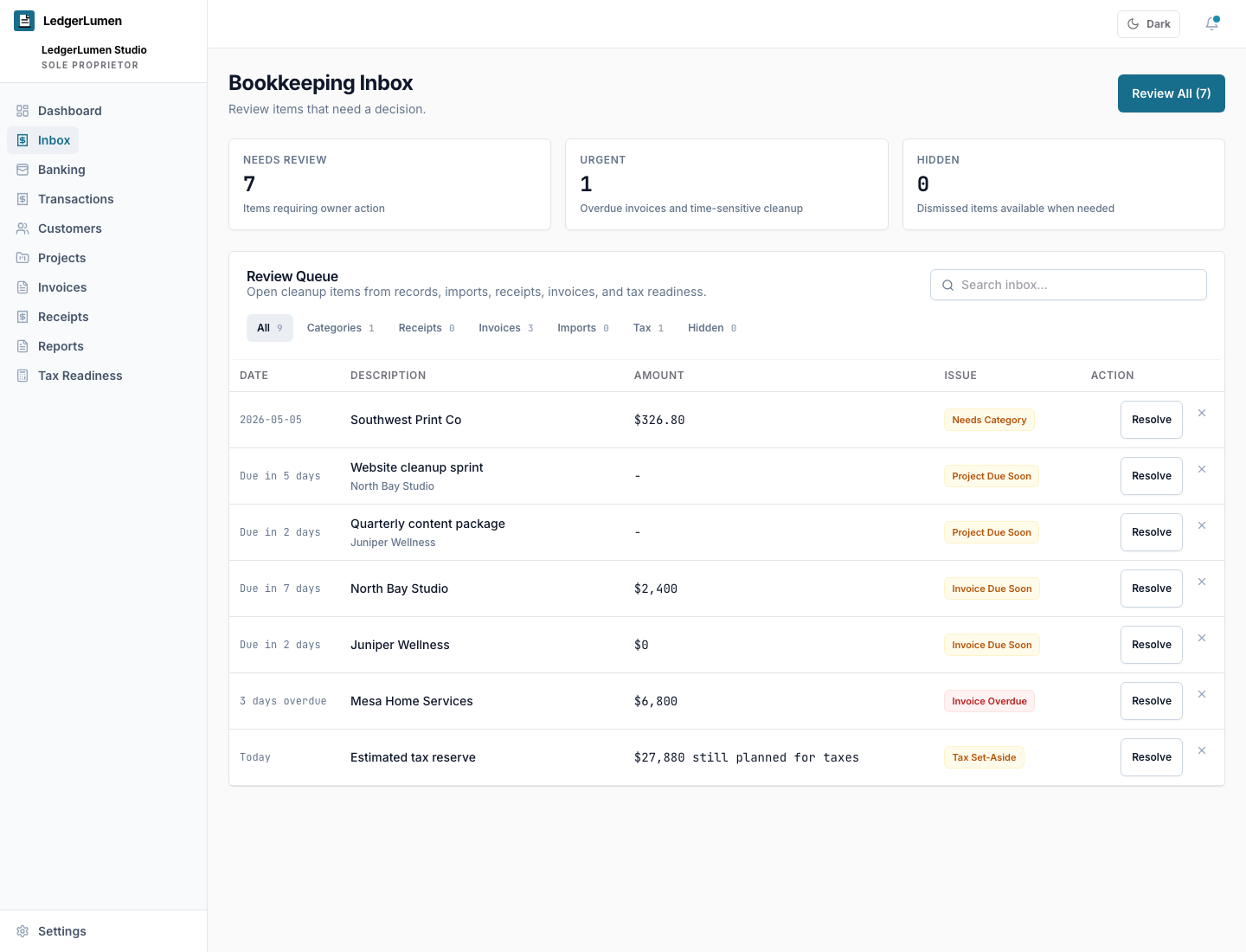
Product walkthrough
At a glance
Bring in a bank CSV or spreadsheet export and review detected columns, skipped rows, and records ready for cleanup.
Work through uncategorized income, software, subcontractor, supplies, travel, and owner-draw rows before they hide in reports.
Keep missing proof visible beside the expense record so the largest documentation gaps get handled first.
Review open invoices by customer, due date, balance, and overdue status before cash collection becomes a separate spreadsheet.
Package transactions, invoices, receipts, tax payments, project context, and cleanup notes for a bookkeeper or CPA.
The first win is a completed review: records entered, cleanup issues visible, and the next advisor-ready step clear.
Comparison
| Area | Typical tool | LedgerLumen |
|---|---|---|
| First source | A spreadsheet or bank export often sits outside the bookkeeping workflow. | CSV import, manual records, receipts, invoices, and optional bank connection all lead into one review workspace. |
| Cleanup priority | Owners manually scan rows, folders, and inboxes to find the next problem. | LedgerLumen keeps categories, receipt proof, invoice aging, and tax-readiness gaps visible. |
| Advisor handoff | Owners send a spreadsheet, folders, and context in separate messages. | Workspace exports and cleanup notes give advisors a clearer starting package. |
Buyer questions
No. The real-estate demo is still available as a specific project-based sample. This walkthrough is the primary service-business proof path for consultants, agencies, contractors, and local operators.
No. The walkthrough starts cleanly from CSV import because many early users already have bank exports or spreadsheets. Bank connection remains optional.
The first review is complete when records have entered the workspace, the owner can see the highest-priority cleanup items, and the next advisor-ready step is clear.
Yes. The workflow is built around exportable transactions, invoices, receipt status, tax payment records, project or customer context, and owner cleanup notes.
Trust and fit
Related pages